Get your Telegram api_id and api_hash
TelePony signs each account in with your own Telegram app.
The keys take about five minutes to get at my.telegram.org.
Use the phone number of the account you'll connect.
Five steps
Sign in to Telegram Core
Open my.telegram.org and enter your Telegram phone number with the country code.
The code arrives in the Telegram app, not by SMS.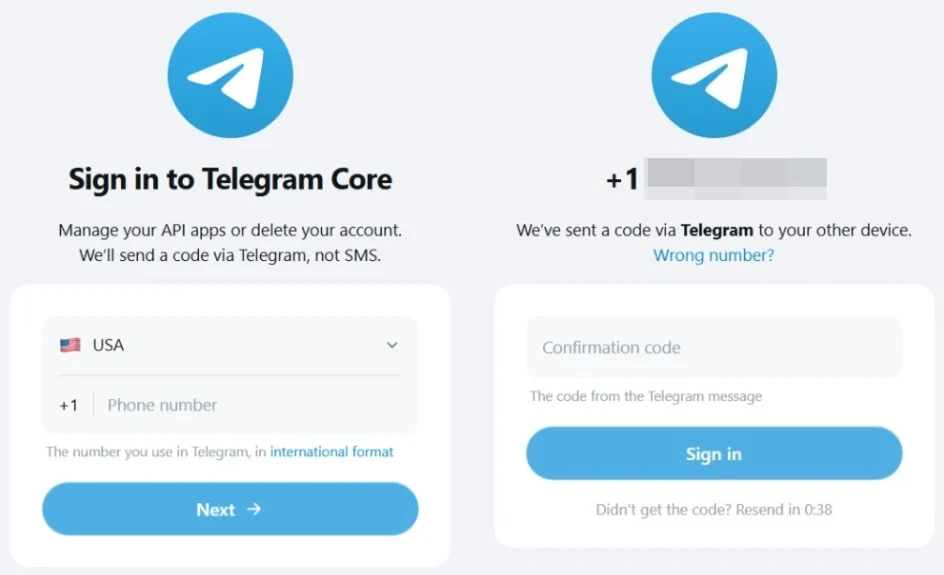
Open Development Tools
After signing in, open the Development Tools card.
The first time, it shows the form for a new app.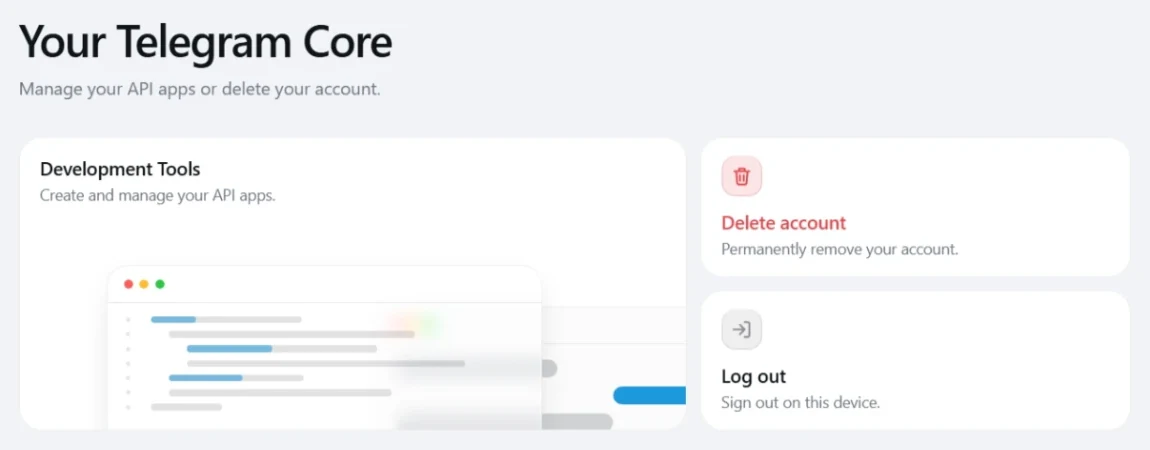
Create the app
Title: 5 or more characters. Short name: 5 to 32 letters or numbers.
Any platform works; leave the URL empty.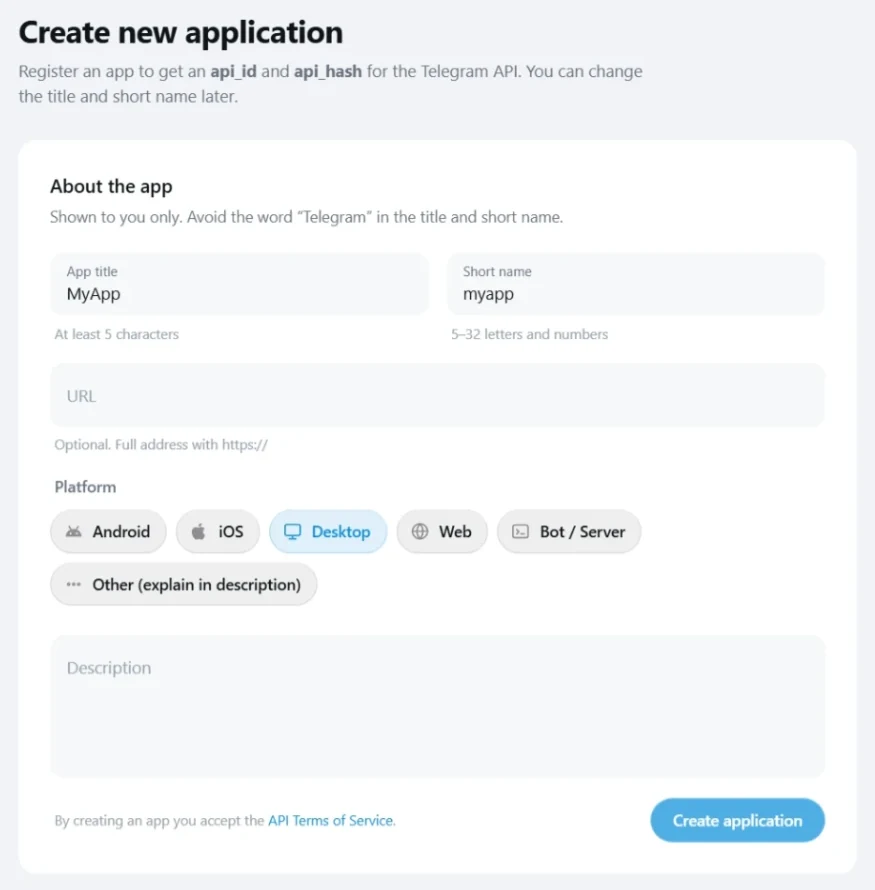
Copy api_id and api_hash
Credentials shows api_id (a number) and api_hash (32 characters).
The eye icon reveals the api_hash.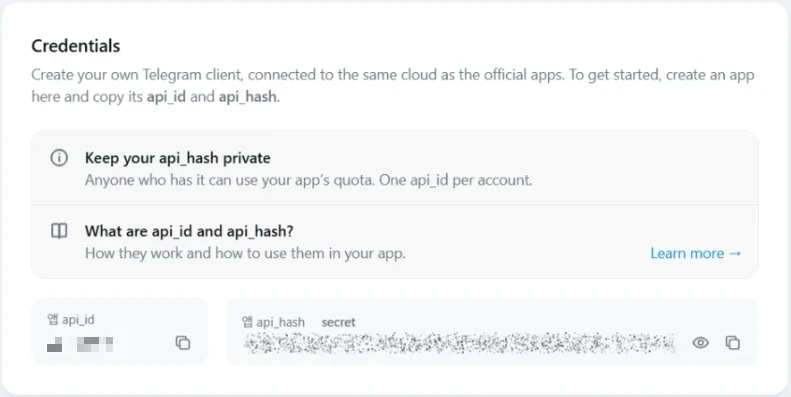
Paste them into TelePony
In TelePony, press Connect account, paste both keys, press Next.
Then sign in with your phone.
Before you start
- One app per phone number
- Telegram allows one app per number.
Development Tools shows its keys again any time. - Keep the api_hash private
- Anyone holding it can use your app's quota.
TelePony keeps it encrypted. - If it only says ERROR
- Turn off VPN and ad blockers, or switch browsers.
Names with “Telegram” or under 5 characters fail too.
Questions about the keys
Do I need a separate api_id for every account?
We recommend it: sign in to my.telegram.org with each account's own number and use those keys for that account.
Then every account has its own app instead of many accounts sharing one.
Can someone get into my account with the api_id and api_hash?
No. The keys only name the app.
Signing in still needs the code Telegram sends you, and your cloud password if you set one.
I lost my api_hash. What now?
Sign in to my.telegram.org again and open Development Tools.
The same api_id and api_hash are still there.
Is this the same as a bot token?
No. A bot token from @BotFather runs a bot, while api_id and api_hash sign in a real user account.
TelePony sends from user accounts.
Keys ready? Connect your first account.
Paste the two keys and sign in with your number.
The 7-day trial starts when the account connects.
7 days free. No card needed.